I do Windows 8.1
If you are an Apple or Linux user with no interest in Windows…skip to the end for an Auggie and Bear photo :) !!
But, if you wonder what the hype and/or hate is about Windows 8 (8.1 now)…read on.
I am not an Apple or Linux hater at all, at all…to each his own. I’ve looked at both and always come back to PC/Windows, but that is me. Thank goodness for choices and variety and all of us with our own preferences, i.e. viva la difference!
Me … I do Windows.
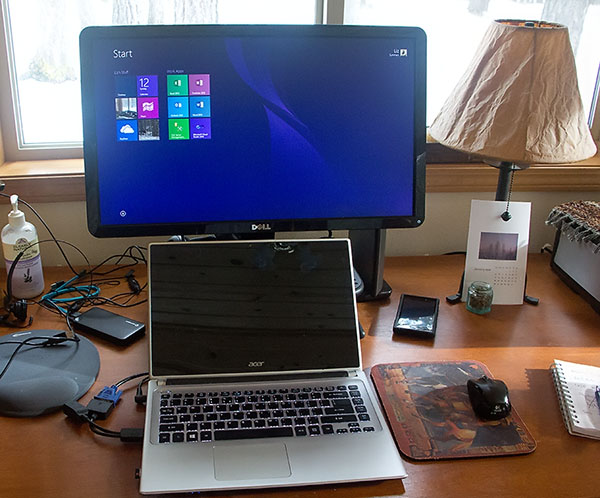
The Windows 8.1 start screen. I guess this is what has some people discombobulated. It is called the “Metro” interface. The squares, called Tiles, can be “live” meaning that they reflect the current state of whatever it is they are linked to.
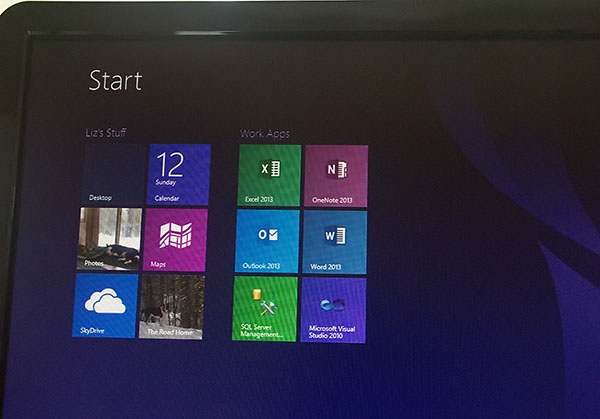
Above…Photos and “The Road Home” I have set as live tiles and they will reflect the current favored photo or the first photo in the first post on my blog respectively.
The Tiles are customizeable.
You can select (“Pin to Start”) for any app from all of your apps.
You can re-arrange to your heart’s content.
You can resize.
Is Easy to make this screen look the way you’d like.
Me, I like simple, uncluttered, just what I use most.
And if you do not LIKE this start up thing which apparently a lot of people don’t…click on “Desktop”…
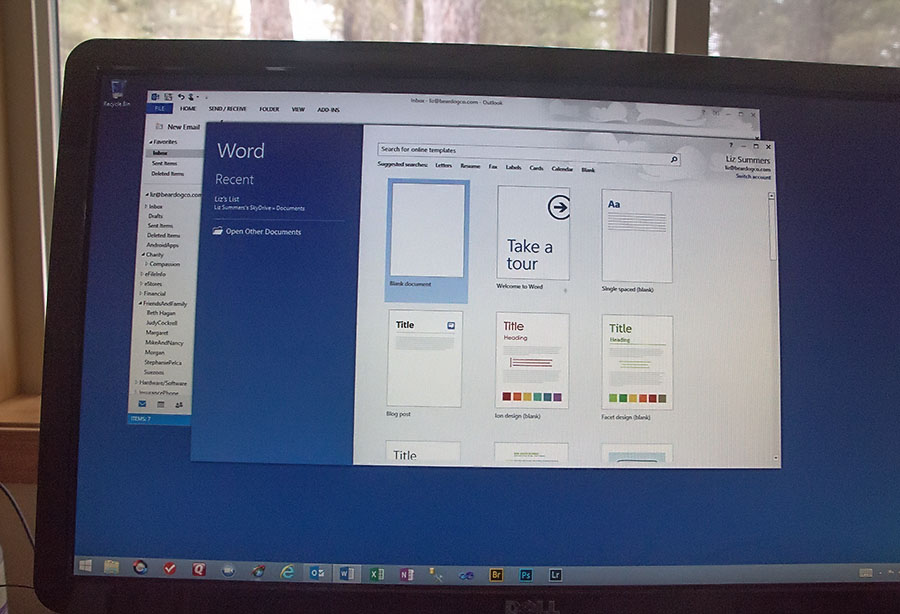
Desktop looks E-X-A-C-T-L-Y like Windows 7.
You can use Desktop E-X-A-C-T-L-Y like Windows 7.
WHAT is all the fuss and rending of clothes and weeping and wailing???
Jeez!
***see bottom of this post for a link to a 12 minute video introduction to Windows 8.
OK.
Windows Phone.
Hang on…Windows Phone uses the same Tiles as Windows 8!
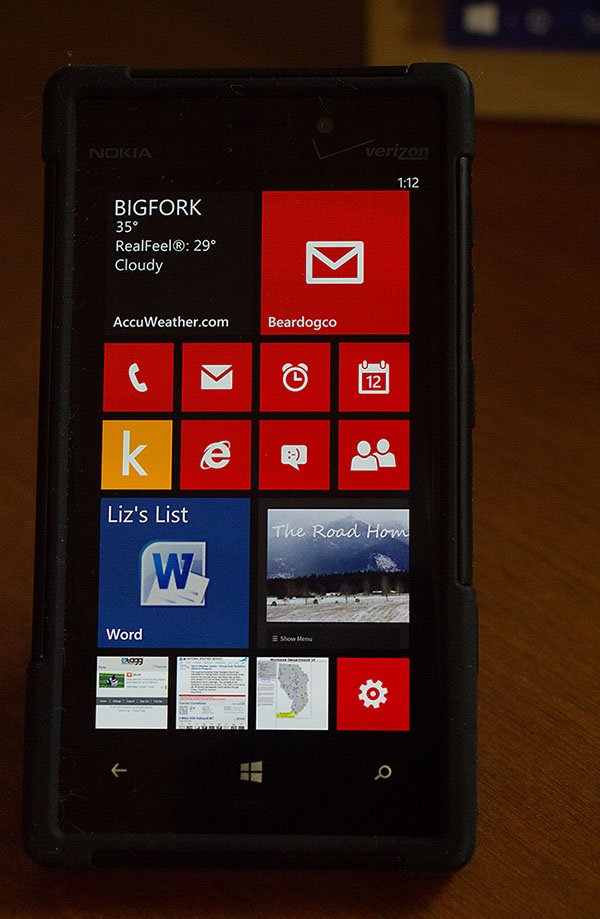
And they are customizeable and live in the same way.
Above is what my phone looks like – from top…left to right:
Weather!! My primary Email (liz@beardogco.com)
Phone 2nd email* Alarms Calendar
Kindle Explorer Messages(Texts) People(Contacts)
Liz’s List(my shopping list) The Road Home(blog)
TAGG(Bear’s tracker) NOAA MT Road Info Phone Settings
*You CAN link email accounts and so combine all into 1 if that’s what you’d rather do…ifn’ you have more than 1 email address. Flexible. All is flexible and customizable.
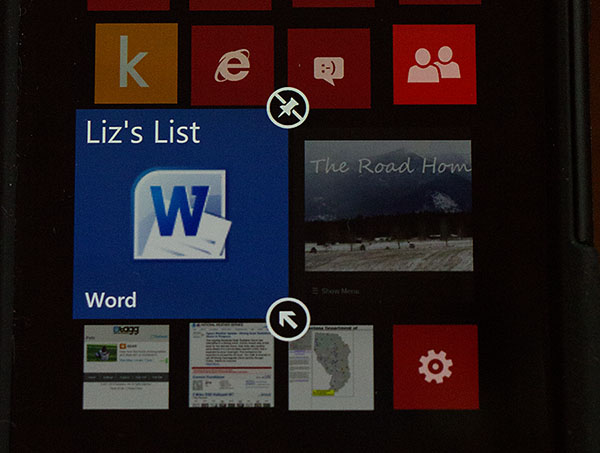
If you tap and hold, i.e. a long tap – on a tile, you can unpin or resize a Tile.
From the apps menu on the phone you can select “Pin to Start” to include any app on the start screen.
Is easy!
***video at the end of this post shows customization options in more detail and for more apps. Me, I am a bit boring! Microsoft Guy in the video has more varied interests.
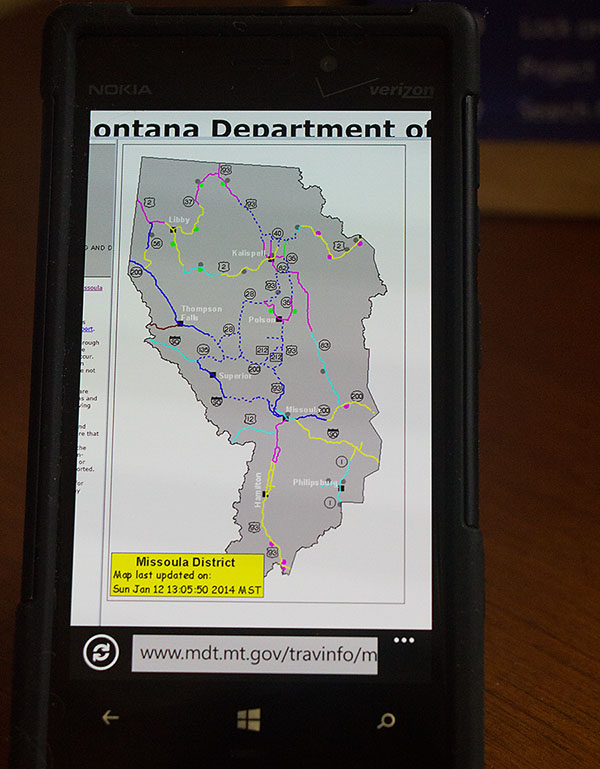
This is the Montana Road Info screen which refreshes when the tile is tapped from the start screen.
I “pinned” it to start from Internet Explorer as it something I look at frequently in Winter. This Spring, I will remove it, but now it is handy and I can view road conditions if I’m wondering about a trip to town.
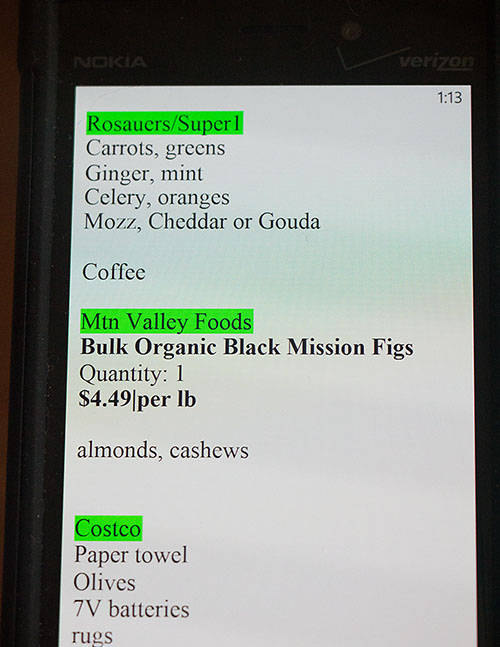
“Liz’s List” – my shopping List. The list is a Word Document that resides on Microsoft’s Sky Drive. BUT, the last “downloaded” version also resides on my phone and my computer. When I access the list from my phone or computer AND my phone or computer has Internet access, I get the latest version. So…I keep stuff like my grocery list as well as any other info I’d like to have easy access to, on Sky Drive.
Apple has their own flavor of Sky Drive, Amazon has Amazon Cloud, etc., etc. Unless you have terabytes of stuff to store, the cloud storage is typically free with related software. For example, I have Sky Drive room that comes with my Office365 software subscription. I have Amazon Cloud storage space that comes with my Amazon Prime account. If you have a Flickr account, you probably have Flickr Cloud storage. Get it?
In addition to storage space accessible from anywhere, storing things on Cloud servers means they get backed up, which means you mitigate the loss of important stuff if your own personal device storage fails.
Right…backing up. There are various backup services which back up to a Cloud server, example: Carbonite.
It was a week of new stuff for me, but it went mostly well because instead of allowing myself to be frustrated, thinking I OUGHT to know how this stuff worked, I looked at the video links and dealt with the changes in small increments. I had been using my Windows 8 computer off and on since I got it in April!! – BUT it wasn’t until the Windows 8.1 update (a LONG download but worth it)…and my old (3 years old) phone dying that I finally decided to see if I could do all on the new computer and phone.
For me, it is my work software that is the worst to get working on a new operating system. There are several Microsoft issues as well as third party tools that have to be installed and configured. The 2nd complicated thing is my Photoshop installation as I have several plug-ins and actions. All is now done. I am very happy with all and if you are a Windows user and have been hesitating about making the change, I encourage you to watch the videos below.
AND, watch the Xbox videos. I am NOT a gamer but there is some extraordinary technology that I guarantee you will be part of your future. Watch!
Back on the home front:
Bear and Auggie are just happy to be having their Greenies…
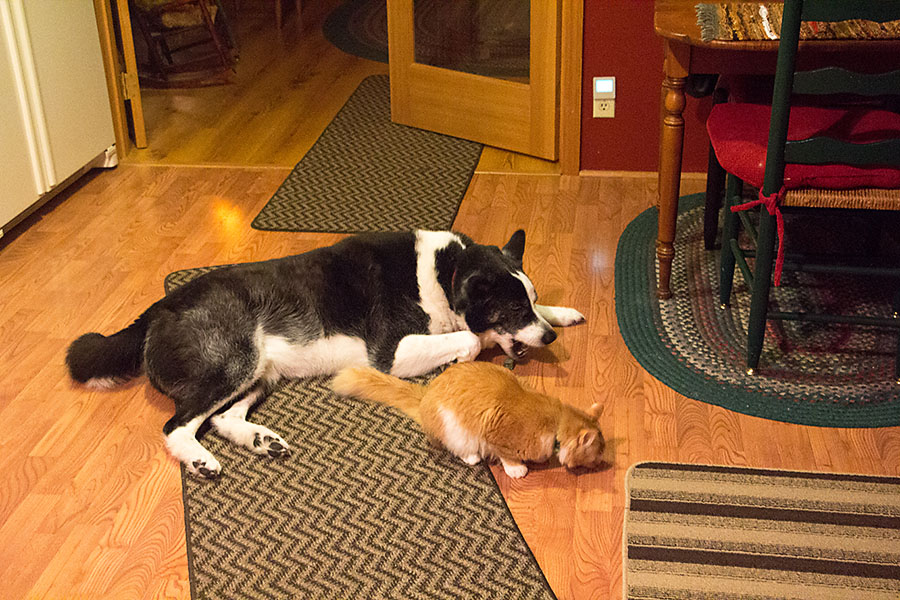
“If Mama’s happy, we’re happy!”
Windows 8 Videos:
Windows 8 Phone Video:
http://www.youtube.com/watch?feature=endscreen&v=SQZEkXCE_fY&NR=1
XBOX